Skip to content

ZI INSPECT / INSPECTION & FOOD SAFETY

From a field finding
to verified closure.

Capture photos, review assisted analysis and follow the corrective action. Evidence, ownership and due dates in one record.

For quality & operations teams · Human review before approval

ZI InspectILLUSTRATIVE PRODUCT JOURNEY
Illustrative cold-storage inspection findingILLUSTRATIVE SAMPLE · NOT A LIVE INSPECTION
Capture evidencePhoto evidence

A finding starts in the field.

A photo linked to its location and inspection point. A clear starting point.

From photo to closure, with human review at each approval decision.
Evidence linked to findingsClear owners and due datesFollow through to closureA reviewable report

Interactive product walkthrough

Watch evidence become action you can prove.

Explore each stage to see what moves between quality and operations—without scattered files or invisible follow-up.

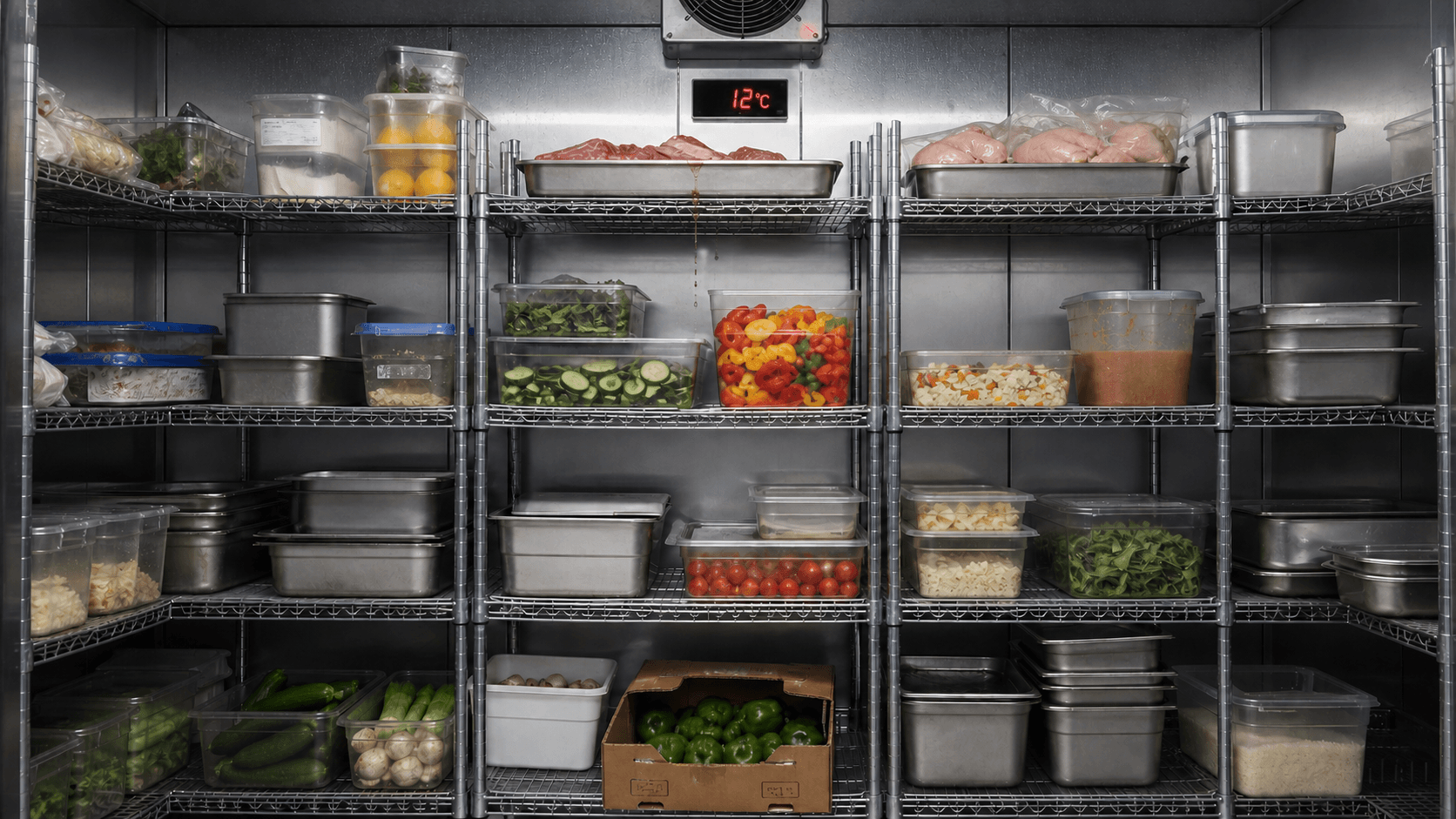
Chiller room showing raw meat stored above ready-to-eat food
5 risks captured
Illustrative product example
01 · Evidence

One scene starts a complete record.

The chiller image stays connected to its audit point, location, and capture time while storage risks and the 12°C temperature alarm are documented.

5 risks capturedEvidence ready to analyse
Five risks. One connected record.5 risks captured
  1. T-01Unsafe chiller temperature
  2. S-02Raw meat above ready-to-eat food
  3. S-03Raw poultry not sealed
  4. L-04Open or undated containers
  5. F-05Produce carton on the floor
  1. Evidence
  2. Draft
  3. Approval
  4. Closure

Corrective action you can see

Do not just describe the fix. Prove it was completed.

ZI Inspect keeps the finding image, action, reference, due date, and closure photo in one clear record.

Finding evidenceRaw meat stored above ready-to-eat food
BeforeFinding evidence
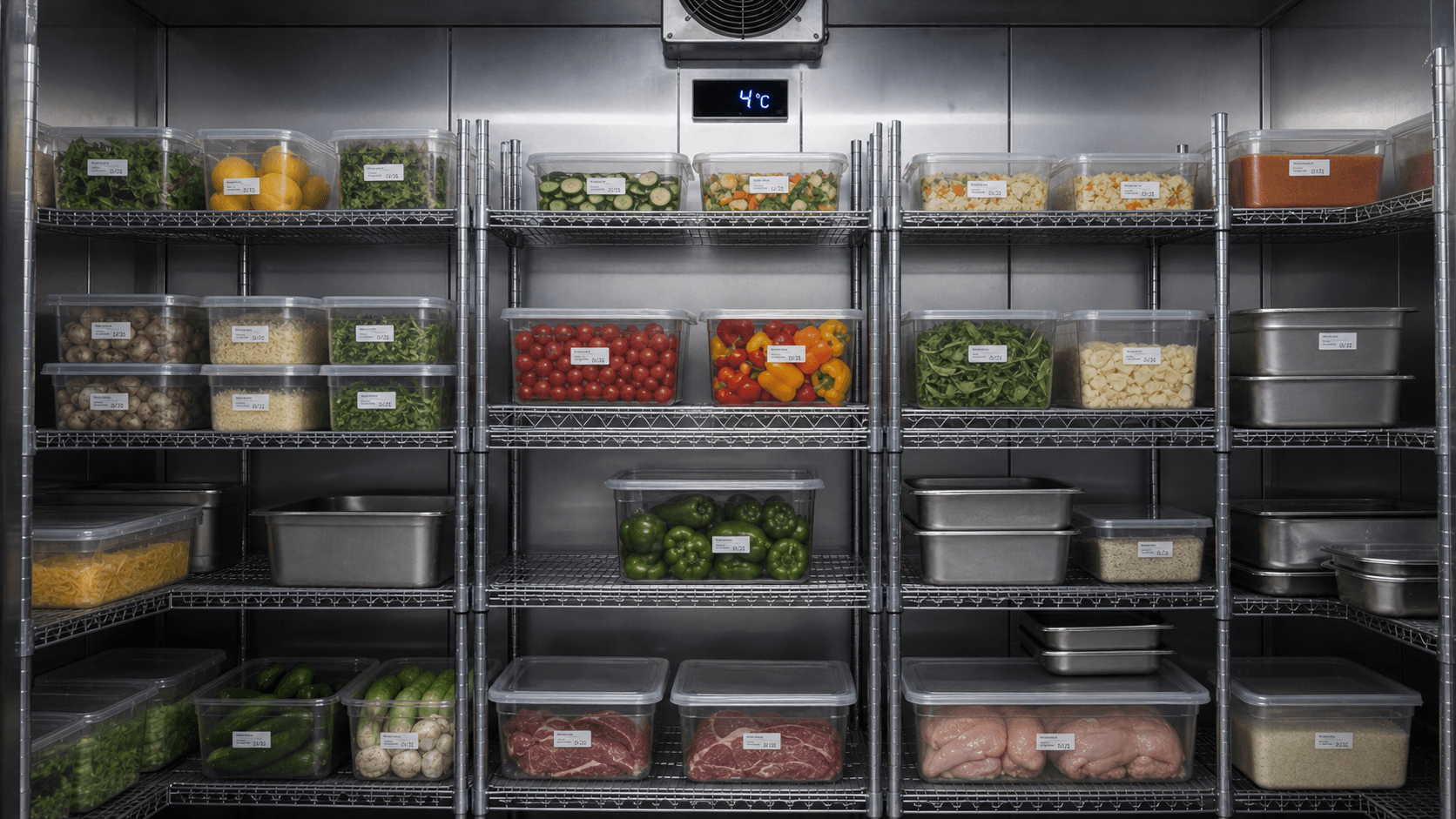
Corrected state✓ Raw food sealed, separated, and stored below
AfterCorrected stateClosure evidence verified

Before you start

Clear answers before you upload the first image.

01Does ZI Inspect replace the QA inspector?

No. It accelerates detection and documentation while review and approval stay with a qualified person.

02Does it provide HACCP or ISO certification?

No. It is an assistive tool, not a certification body or a replacement for a qualified consultant.

03Does it support local requirements?

Audit points can be connected to references and policies adopted by your organization; interpretation stays with the specialist.

04Who can see company images and reports?

Access is controlled by role and organization membership, and there is no public sign-up.

FROM FIRST DEMO TO FIRST WORKDAY

Clear steps. A considered start.

One-time setup + annual subscription. Additional customization and integrations are scoped together.

  1. 01

    Understand your needs

    A demo around your team's workflow and the apps you need.

  2. 02

    Agree on the scope

    A clear quote: setup and annual fees, before implementation.

  3. 03

    Set up and get started

    Configure roles and resources, then train your team as agreed.

Start with what your team needs.

See the product, discuss your needs, then decide. No purchase commitment.

Request a demo